Customer portal
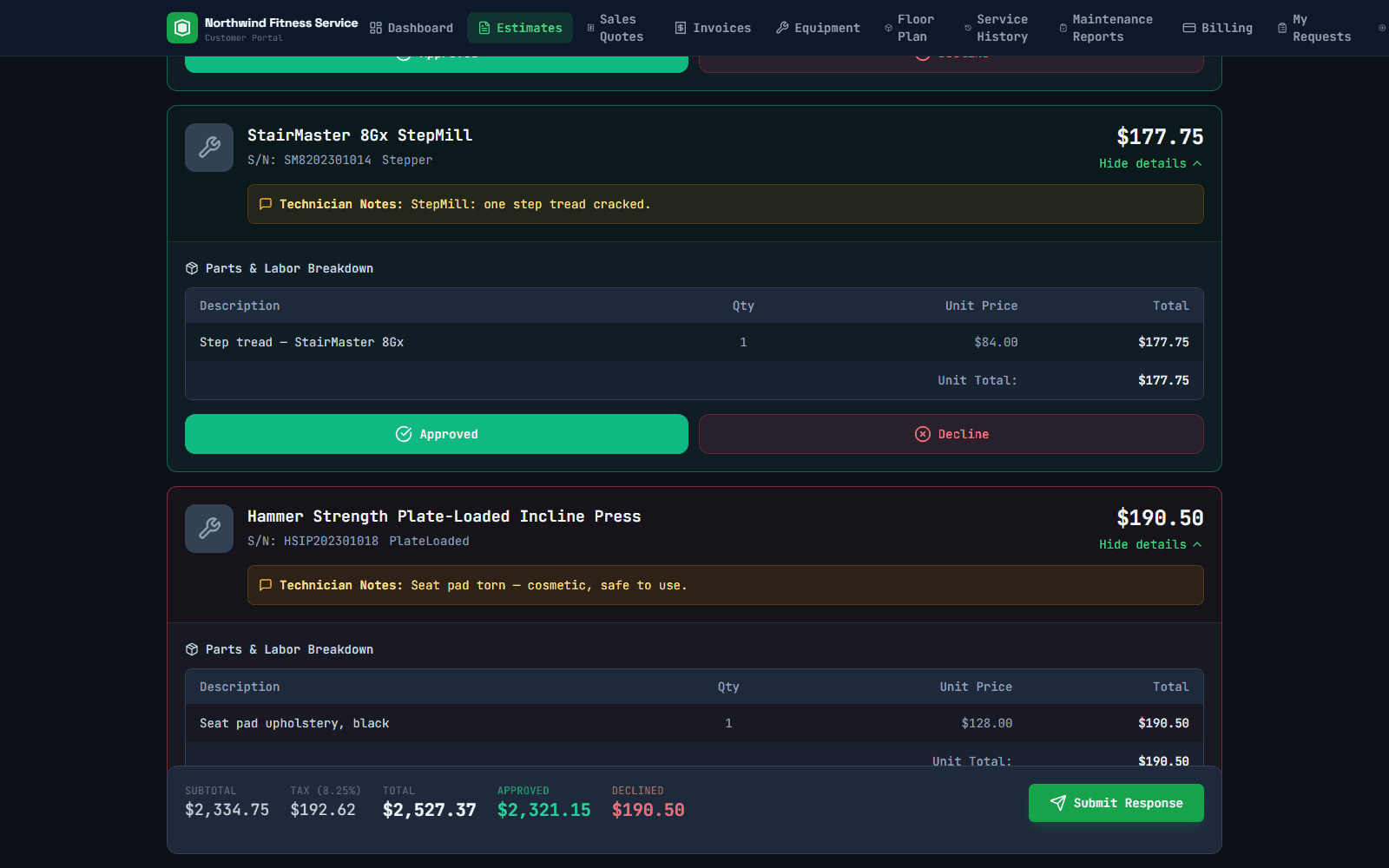
“Yes to the treadmill, not the seat pad.”
Fitness repair estimates cover many machines, and customers rarely approve all of them. OptyField lets them decide machine by machine, in one place, and tells your office exactly what was approved.
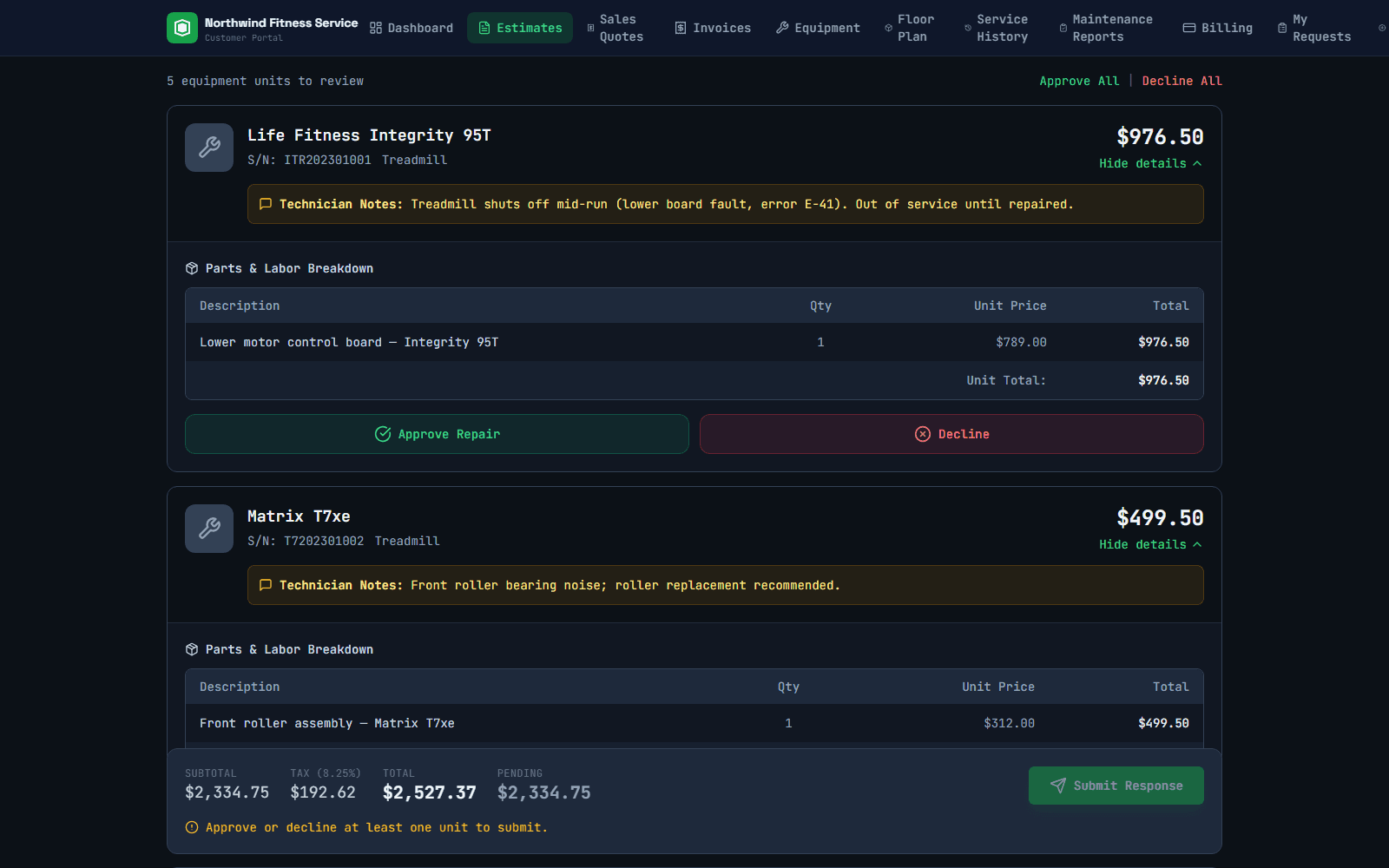
Screens show “Northwind Fitness Service,” a made-up demo company. No real customer data.
What your customer sees
- Each machine on its own card: make, model, serial, your tech's notes, parts and price
- Approve or decline each machine, or all of them at once
- Approved and declined totals that update as they decide
- Sign by name and add their PO number
- Their equipment, service history and maintenance reports in the same portal
- One login for property managers who look after several sites
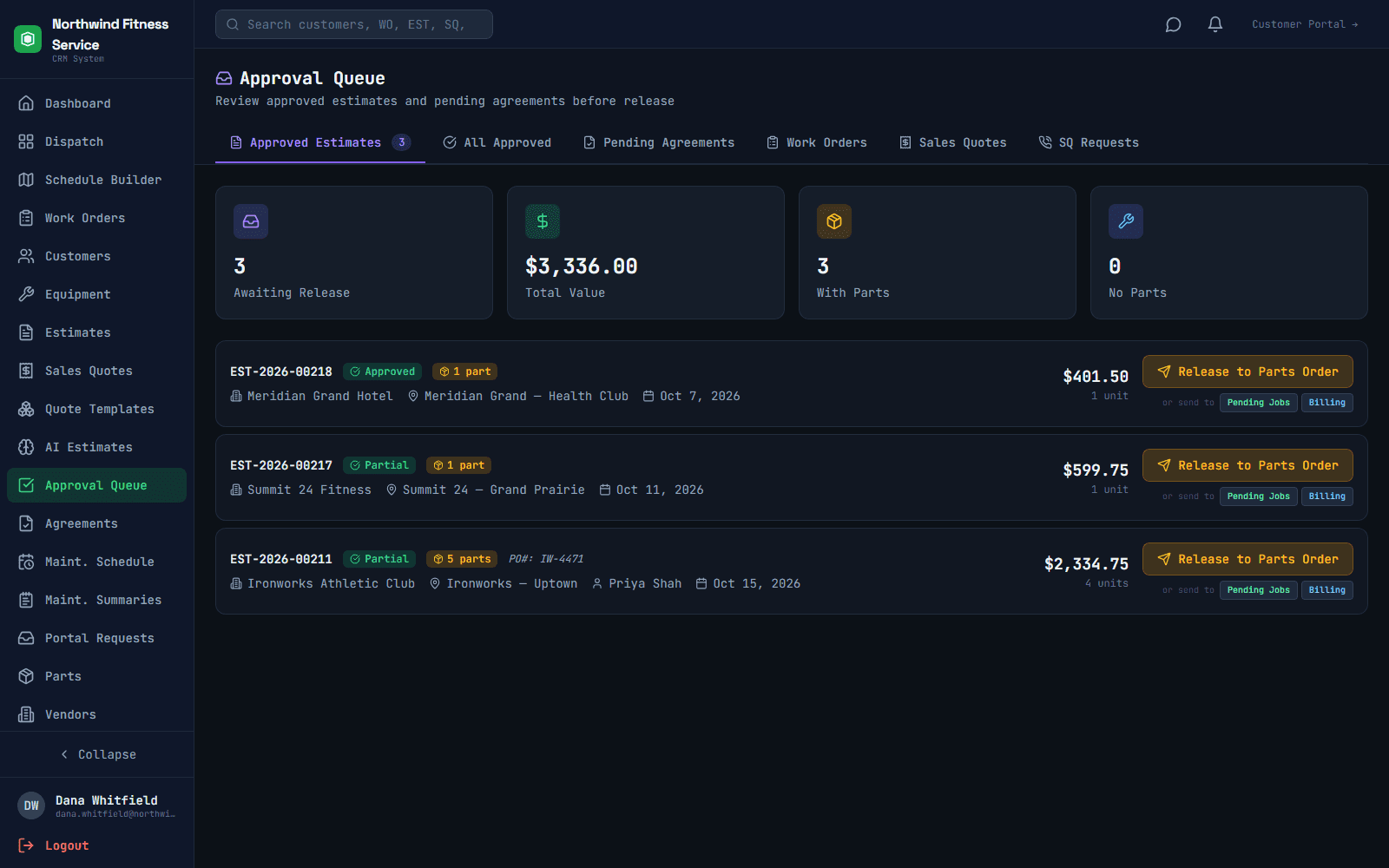
What your office sees
Approved estimates land in an approval queue with the customer's PO number. The office releases the approved machines to parts ordering or straight to dispatch. Declined machines stay on file, so you can quote them again later without retyping anything.
You can also see when a customer has opened an estimate, so you know who to follow up with.
Stop chasing approvals by email
A 30-minute walkthrough, built around how your techs, estimators and customers work today.