Dispatch & scheduling
Every tech's day on one board. Every open job on one map.
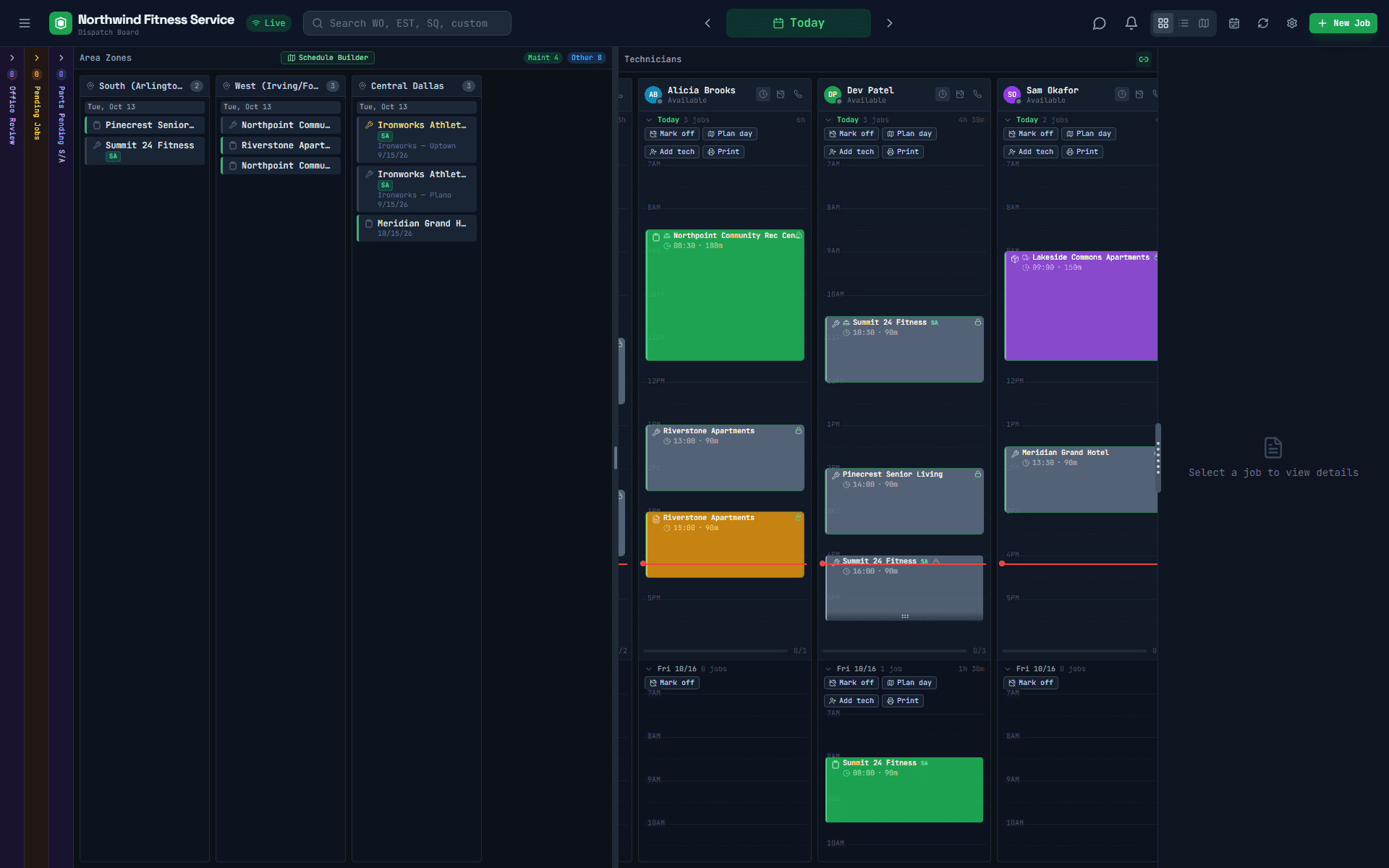
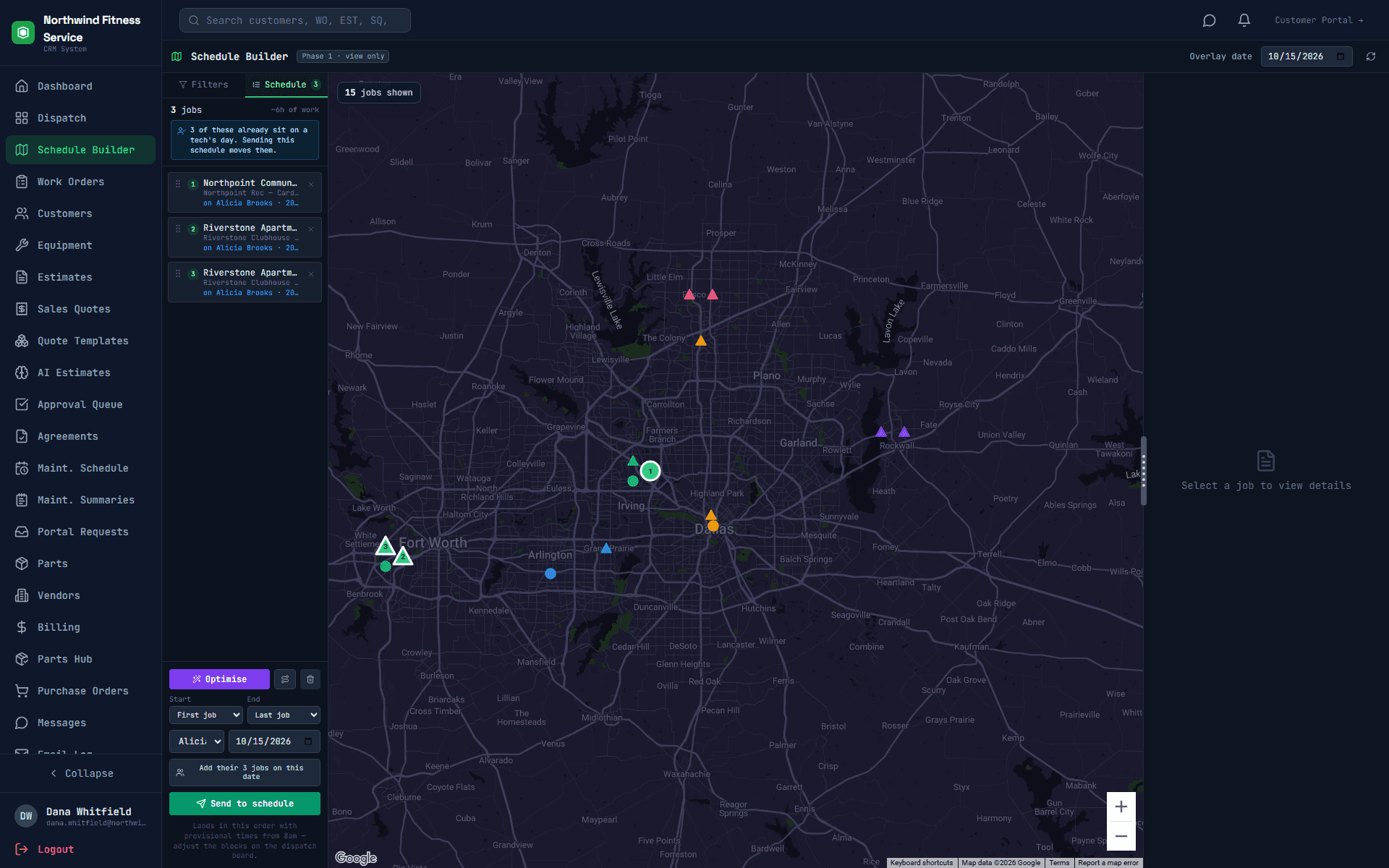
Your dispatchers see who's where, what's waiting in each part of town, and drag jobs onto a tech's day. Schedule Builder puts the backlog on a map so a day can be planned by geography, not by reading down a list.
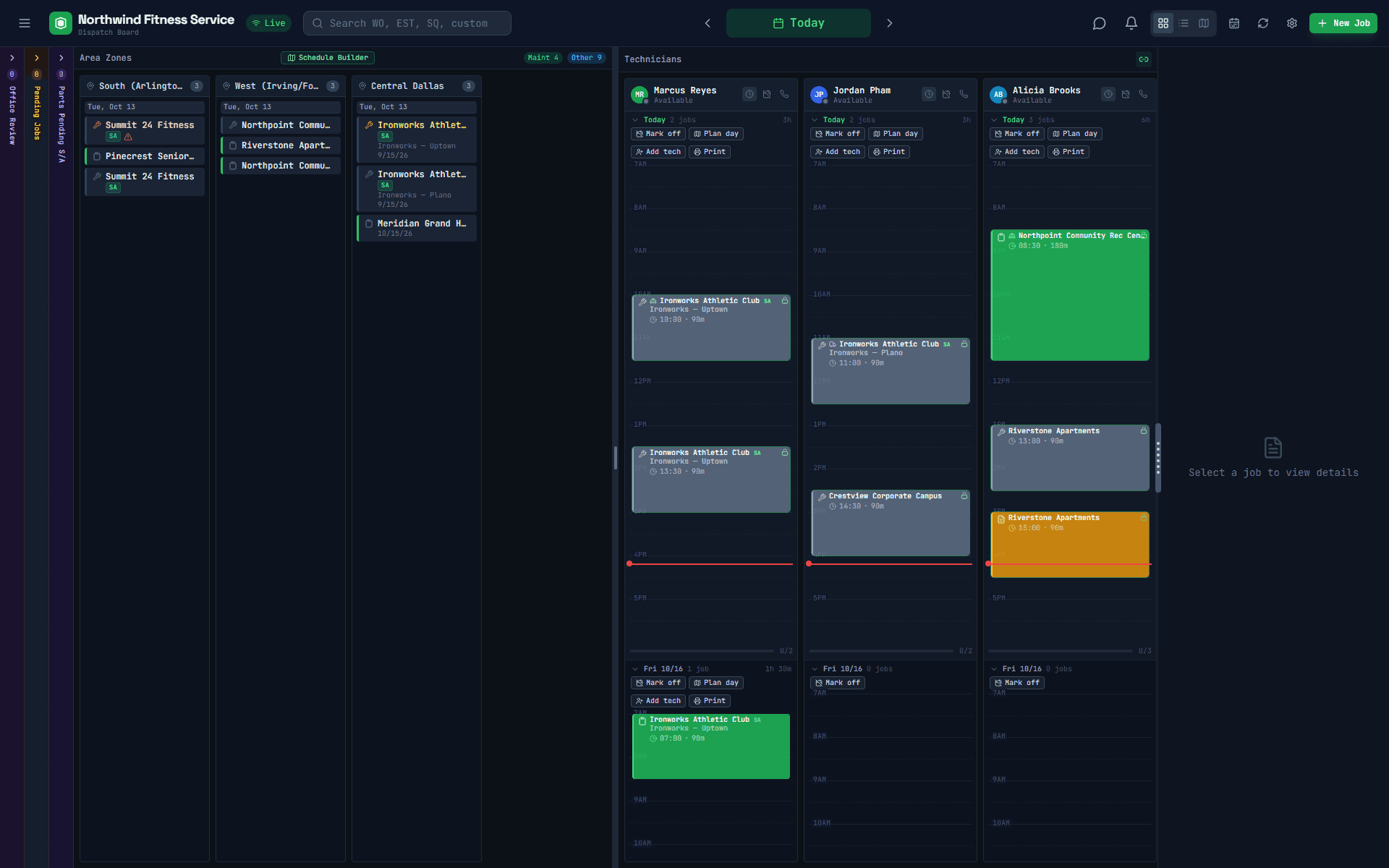
Screens show “Northwind Fitness Service,” a made-up demo company. No real customer data.
Dispatch board
Drag, drop, done
- Unscheduled jobs wait in their area of town, with maintenance and repair calls easy to tell apart
- Each technician's day as a timeline, today and the days ahead
- Drag a job onto a tech's afternoon; it shows up on their iPhone
- Every dispatcher sees changes as they happen
- Board, list and map views, plus right-click shortcuts for common moves
Schedule Builder
Plan the day on a map
Schedule Builder shows every job waiting to be scheduled on one map, coloured by area, with your techs' booked stops alongside. Pick the jobs that belong together, or load a tech's existing day, and OptyField puts them in driving order, starting and ending at the shop or the tech's home. Then send the whole route to the board in one click.
See your own week on the board
A 30-minute walkthrough, built around how your techs, estimators and customers work today.